Businesses need to select the right digital solution tailored to their operations and goals.
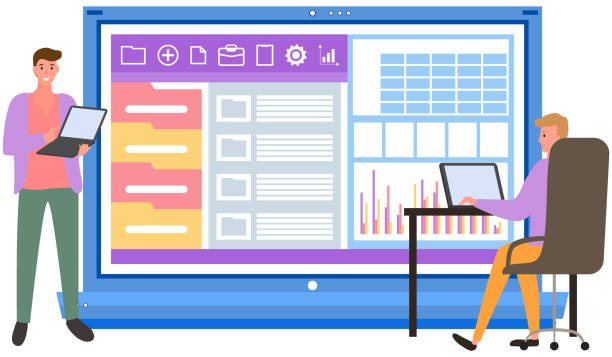
Is a standard website enough to showcase services and communicate with clients, or does your business require a web application offering interactive features and advanced functionality?
The decision depends on how your platform is used, your customers’ expectations, and your internal workflows.
Understanding the difference between a website and a web application helps you choose the right path and avoid unnecessary development costs.
It also helps define required interactive features, plan user roles and core functions, and estimate ongoing development and maintenance needs.
In this guide, we examine when your business needs a web application instead of a traditional website.
The statistics below highlight how widely companies rely on cloud-based digital services.
While they do not mean every business requires a standalone web application, they demonstrate the growing importance of digital tools in business operations:
| Metric | Percentage |
| Businesses in the EU using paid cloud computing services | 52.7% |
| Small businesses using paid cloud computing services | 49.3% |
| Medium-sized businesses using these services | 66.78% |
| Large enterprises using these services | 84.67% |
| Businesses using cloud computing for email hosting | 85.2% |
Managing user accounts, role permissions, and sensitive customer records increases your security responsibilities—review our Website Security Checklist for Small Businesses to implement essential safeguards across your digital platform.
The Difference Between a Website and a Web Application
On the surface, a website and a web application may seem similar because both are accessed through a web browser.

However, there is a clear distinction in the functionality each delivers and how users interact with them.
Website
A website is primarily designed to display information, present services, and introduce a business.
Visitors use a website to read content, learn about the company, and get in touch or submit an inquiry.
Common examples of website functions include:
- Showcasing company services and products.
- Publishing articles and educational content.
- Providing contact information and branch locations.
A website is the right choice when your primary goal is presenting information, improving search engine visibility (SEO), and making it easy for clients to reach your business.
Web Application
A web application focuses on executing interactive tasks that allow users to perform specific operations inside the system.
Rather than passively browsing information, users can log in, manage accounts, submit requests, track order statuses, and interact with data based on assigned permissions.
Common examples of web application functions include:
- Creating and managing user accounts.
- Providing personalized user dashboards.
- Managing service requests, bookings, and workflows.
For instance, a service company may start with a website to present its offerings.
However, once it wants clients to create accounts, track project progress, upload files, and receive real-time status updates, a web application becomes necessary to support those capabilities.
That said, a website and a web application are not always mutually exclusive—you can build a website that integrates web application functionality within the same unified platform.
| Comparison Aspect | Website | Web Application |
| Primary Goal | Present information and services | Execute tasks and interact with users |
| Nature of Use | Browsing and reading content | Entering data and performing operations |
| Interactivity | Mostly limited | Highly interactive and multi-functional |
| User Accounts | Not always required | Typically essential |
| Data Management | Static/dynamic content and pages | Structured data, workflows, and user records |
| Usage Examples | Corporate site or blog | Booking platform, client portal, or order management system |
Signs Your Workflow Needs Interactive Features
Many companies start with a simple website and later realize—as their operations grow—that they need functionality a traditional site cannot easily support.

Evaluating your internal workflows helps determine whether your processes require interactive features, automation, or centralized data management.
Key signs that your business may need a web application include:
Heavy Reliance on Manual Processes
If your staff manually copies customer data across spreadsheets, messages, and disconnected tools, developing a web application that centralizes these operations into one system can save significant time, organize records, reduce duplicate data entry, and streamline task tracking.
Customers Need Personal Accounts
If clients need to log in, review or edit their details, or monitor ongoing orders, a traditional website falls short.
A web application provides individual user accounts with tailored interfaces displaying relevant data and services.
Requests Require Continuous Status Tracking
Certain businesses must track orders from initial submission through final completion—including service requests, bookings, approvals, and project milestones.
A web application displays live request statuses, updates progress, and triggers user notifications whenever changes occur.
| Sign | What the Business Needs | Ideal Web Application Feature |
| High Volume of Incoming Requests | Organized tracking and processing | Order management dashboard |
| Multiple Clients and Accounts | Personalized experience per user | User login and personal client portals |
| Repetitive Daily Tasks | Reduced manual workload | Automated workflows and triggers |
| Multiple Staff Roles and Permissions | Controlled access to sensitive data | Role-based access control (RBAC) |
| Need to Monitor Performance | Continuous visibility into results | Real-time reporting and analytics dashboards |
Planning Users, Roles, and Core Functions
Before developing a web application, you must identify who will use the system and what specific tasks each user group needs to accomplish.

A web application’s success depends not on the sheer number of features it includes, but on how well those features align with user needs and internal company workflows. (For tailored architectural planning, reach out to Devoura.)
Defining User Groups
User categories vary depending on the application’s purpose and may include clients, staff members, managers, and operations administrators. Define each group’s requirements before starting design and development.
For example, a client may need to submit a request and track its progress, an employee may need to review and update request details, and a manager may need an executive dashboard displaying all requests and KPIs.
Setting Roles and Permissions
Once user groups are defined, establish permissions for each role—not every user should access the same data or system controls. Permissions can be structured across clear tiers, such as:
- Standard User / Client: Manages their personal profile, submissions, and account details.
- Staff Member: Reviews assigned requests and executes operational tasks.
- Administrator / Supervisor: Oversees all workflows, user permissions, and team performance.
Mapping the User Journey
Mapping out the user flow clarifies how users navigate between screens and complete actions.
For example, a client registers an account, submits a request, receives an automated confirmation alert, and tracks status updates until completion.
Mapping this flow early uncovers unnecessary steps and refines UX before development begins. (Contact Devoura for detailed workflow mapping.)
Estimating Development and Maintenance Needs
Web application development and maintenance costs span several components, including UX/UI design, software engineering, database architecture, quality assurance testing, and third-party API integrations.
Costs vary widely between a lightweight app with focused functionality and an enterprise system managing multi-department operations.
Planning for Ongoing Maintenance
A company’s responsibility does not end once a web application launches.
The system requires ongoing technical updates, security audits, bug fixes, and performance monitoring—alongside building new features as user needs evolve.
Accounting for Security and Scalability
Application planning must incorporate robust safeguards to protect user accounts, sensitive records, and role permissions. You must also ensure the architecture can scale smoothly to handle growing user bases and higher transaction volumes as your business expands.
Estimating development and maintenance needs from day one helps control budgets, select the right technical stack, and prevent unexpected expenses—a core focus of how Devoura supports your project.
How Devoura Helps You Choose the Right Digital Solution
Choosing between a website and a web application is more than a technical choice—it is a strategic decision tied to your business goals, operational workflows, and customer experience.

A traditional website may be ideal for showcasing services and building search visibility, whereas a web application is the stronger solution when your business needs to manage users, workflows, data, and interactive features.
Devoura helps you analyze your project requirements and identify digital solutions aligned with your industry and growth objectives.
Whether your business needs a high-performing corporate website or a custom, full-featured web application, defining your requirements upfront ensures you build a practical, scalable system.
If your primary goal is organizing incoming leads and automating client follow-ups rather than building a standalone portal, read our guide on How to Connect Your Website to a CRM System: A Lead Management Guide to see if connecting your existing site solves your workflow needs first.
