Website security has become one of the most critical requirements for the success of small businesses that rely on the internet to communicate with clients, deliver services, and receive orders.
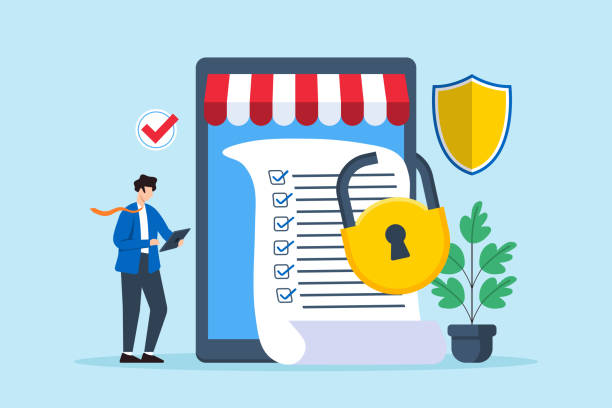
Protecting a website is not limited to large corporations or massive e-commerce stores; every business needs to secure its platform, safeguard customer data, and prevent unauthorized access to sensitive information and files.
Website protection begins with foundational steps, including keeping WordPress, themes, and plugins updated, enforcing secure login methods, and implementing strict access controls.
It also involves securing backups, website forms, and customer records, alongside preparing a clear response plan in case a security incident occurs.
Applying a website security checklist for small businesses helps uncover vulnerabilities, reduces the risk of cyberattacks, maintains site stability, protects vital data, and strengthens customer trust in your company’s digital services.
Explore our guide on Core Web Vitals for Corporate Websites: What to Fix First .
Keeping WordPress, Themes, and Plugins Updated
Keeping WordPress, themes, and plugins updated is one of the most essential steps in protecting a website.

Updates do more than just boost site performance or add new features—they frequently patch critical security vulnerabilities that hackers actively exploit to gain unauthorized entry.
Many small businesses rely on WordPress to power their websites, using themes to define visual design and plugins to add capabilities such as contact forms, SEO tools, and e-commerce functionality.
Consequently, updates must be handled consistently through a structured routine:
- Update the WordPress core system as soon as new releases become available.
- Update active WordPress themes used in your site’s design.
- Install plugin updates promptly without postponing them for extended periods.
Creating a full backup before running major updates is essential, as compatibility conflicts can occasionally arise between certain plugins and themes after an update.
Having a fresh backup allows you to restore your site immediately if an unexpected issue occurs.
Updating WordPress once and ignoring the site afterward is not enough—small businesses need a recurring schedule to review and apply updates.
This routine lowers breach risks, improves performance, and preserves long-term website security.
| Element | Security Action | Objective |
| WordPress Core | Install official releases promptly | Patch known security vulnerabilities |
| Themes | Update active themes regularly | Reduce the risk of theme-based exploits |
| Plugins | Update active plugins and delete unused ones | Prevent attackers from exploiting outdated code |
| Backups | Create a backup prior to major updates | Enable fast, reliable site recovery |
| Installation Sources | Download only from trusted repositories | Avoid malicious files and compromised plugins |
Using Secure Login Methods and Access Controls
Logging into your website’s admin dashboard represents one of the highest-stakes security checkpoints.

If an unauthorized party gains access to an administrative account, they can alter site content, inject malicious plugins, or steal sensitive data.
For this reason, small businesses must enforce secure login practices and apply clear access control rules.
Login protection starts with strong, unique passwords for every account—avoiding short or easily guessed combinations and never reusing the same password across multiple services.
(To learn more about hardening your site, reach out to Devoura.)
| User Role | Appropriate Permissions |
| Site Administrator | Manage core settings, users, and plugins |
| Content Editor | Create, edit, and publish articles according to permissions |
| Content Writer | Draft articles and submit them for editorial review |
| Support Representative | Manage customer inquiries within restricted permissions |
| Technical Developer | Access specific tools and files required for development tasks |
Combining secure authentication with role-based access controls helps small businesses protect their admin dashboard and significantly lowers the risk of unauthorized entry.
Protecting Backups, Forms, and Customer Data
Small businesses must safeguard backups, website forms, and customer records as core pillars of business continuity and website security.

Backups enable rapid recovery following technical failures, cyberattacks, or accidental file loss, while website forms regularly collect personal details, contact information, and client inquiries that must be shielded from misuse.
Protecting Backups
Generate regular backups that include both your website files and your database—backing up site files alone is insufficient for restoring complete data. Follow these best practices:
- Run automated backups on a consistent schedule.
- Store backup copies off-site, separate from your primary web server.
- Protect backup archives with strong passwords and restricted access permissions.
- Define a clear retention period for older backup files.
Never assume a backup is usable simply because the creation process succeeded—periodically test your backups to confirm they can be restored smoothly when needed.
Protecting Website Forms
Businesses use contact, service request, and registration forms to capture visitor details such as names, phone numbers, and email addresses.
Ensure your forms collect only essential information, and deploy anti-spam protections (such as CAPTCHA or honeypots) to block spam bots and malicious automated submissions.
Regularly audit and update form plugins, and verify that all submitted data travels over an encrypted connection.
Protecting Customer Data
Customer records are among the most sensitive assets stored on a website; a data leak can severely damage company reputation and erode client trust.
Restrict access to customer records strictly to employees who require them for their roles, and avoid storing sensitive personal data unless genuinely necessary.
Always enforce HTTPS encryption to protect data in transit between the user’s browser and your server, and audit any third-party services integrated with your site to confirm their security reliability.
Securing backups, forms, and customer data goes beyond preventing breaches—it ensures business continuity and builds lasting customer confidence.
(Contact Devoura to explore additional proven security practices.)
Real Statistics on Cybersecurity Risks for Businesses
According to the UK Government’s 2025 Cyber Security Breaches Survey, 43% of businesses reported experiencing a cybersecurity breach or attack during the 12 months preceding the survey:
| Business Size | % of Businesses Reporting Breaches or Attacks (2025) |
| Micro Businesses | 41% |
| Small Businesses | 50% |
| Medium Businesses | 67% |
| Large Businesses | 74% |
| All Businesses Overall | 43% |
These figures reveal that half of all surveyed small businesses experienced a security breach or attack—underscoring why proactive website protection is vital regardless of company size.
What to Do After a Security Incident Occurs
Even when strong website security measures are in place, small businesses can still encounter unexpected security incidents—such as suspicious login attempts, unauthorized page modifications, or unfamiliar files appearing on the hosting server.

When an incident happens, act quickly through structured steps; panicked or random actions can worsen the damage or erase critical logs needed to trace the source of the breach:
- Identify the Nature of the Security Incident:
Begin by assessing the issue and pinpointing affected components—determining whether the breach involves a user account, core site files, the database, or a specific plugin. (For precise technical assistance, contact Devoura.) - Restrict Unauthorized Access:
If a specific account appears compromised, lock it down immediately by disabling the suspicious user, resetting login credentials, and terminating all active sessions. - Inspect the Site and Identify the Entry Point:
Review activity logs, file timestamps, and recent modifications to uncover whether the breach stemmed from an outdated plugin, weak password, or unpatched vulnerability. - Restore a Clean Backup When Necessary:
If malicious changes were injected into the site, restoring a verified, clean backup can form part of your recovery—provided you patch the underlying root cause before bringing the site back online normally.
Protecting Websites with Devoura
Small businesses require ongoing technical oversight to maintain website security, safeguard customer data, and ensure uninterrupted digital services.
Regular technical audits uncover hidden vulnerabilities before they escalate into costly disruptions affecting your site or business operations.
If you are looking for technical solutions to strengthen your company’s website and manage its security infrastructure, the Devoura team can help evaluate your site’s needs and implement tailored protections suited to your business.
Do not wait for a breach to happen before prioritizing website security—keeping WordPress updated, hardening login access, and protecting backups and customer data are essential steps toward building a safer, more resilient website.
Guide on How to Connect Your Website to a CRM System: A Lead Management Guide.
